
Sending to recipients in Microsoft 365 (AD) groups
It is easy to enable sending to Microsoft 365 group members with JungleMail 365. In this tutorial, you will learn how to set this up.
Configuration
Note
To access and modify the following settings, you must have the Administrator permission role
To enable the Microsoft Entra ID Directory connection, Microsoft 365 Tenant Administrator permissions are required.
1. Open JungleMail for Office 365 and click Settings > Connections.
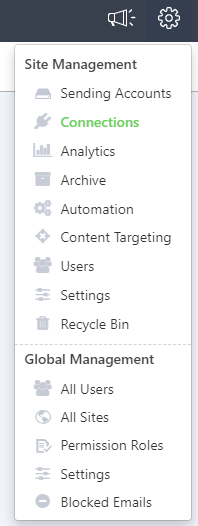
2. In the Microsoft Entra ID Connection section, click Enable.

The following permissions will be requested for the Azure AD Connection: 
The permissions as seen in Microsoft Azure after the connection is active:

The active connection will change the status to Enabled:

These settings will apply to the current JungleMail Site only.
Result
Now that you have enabled this feature, users can pick Office 365 groups, security groups, mail-enabled security groups, and distribution groups as a recipient source. When sending emails to a user group, JungleMail for Office 365 will recursively expand selected groups and send individually personalized emails to each group member.